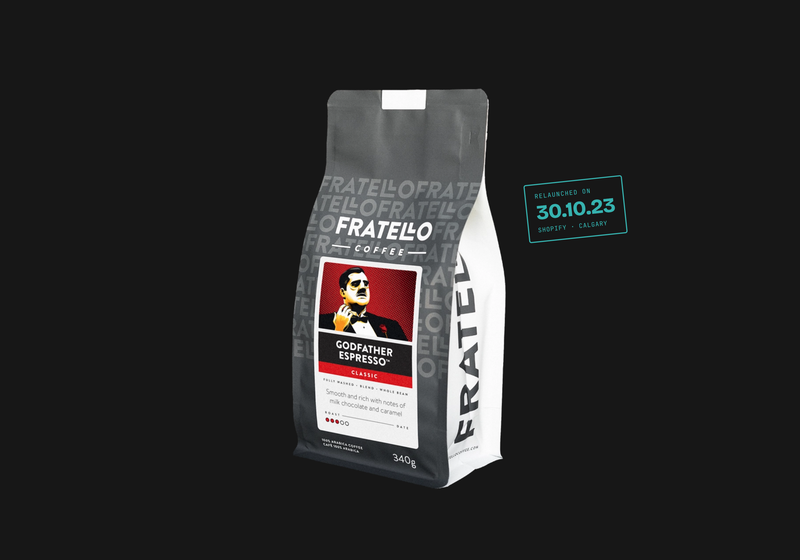
Rated 5.0 out of 5,5.072 Google reviewsWe moved Fratello Coffee Roasters from WooCommerce to Shopify in 2023.
Shopify stores we've built
Fratello Coffee Roasters
Granville Island Spice Co
Why stores leave WooCommerce
WooCommerce can run a good store. The cost is everything you have to look after to keep it running.
A WooCommerce store is a WordPress site with a shop plugin on top, so you look after the hosting, security, updates and every extension yourself. Each one is another thing that can break checkout. Shopify hosts the store, handles PCI compliance and updates, and puts subscriptions, rewards and reviews into apps that are built to work together.
Fratello Coffee Roasters had been thinking about Shopify for a while. In April 2023 a fake admin account on their WordPress shop added payment options meant to send customers' money elsewhere, three times in a month. Each rollback broke the order sync with shipping and accounting. After that, they decided to move.
Shopify's own import tools and apps such as Matrixify move the core data. The rest needs planning.
Products and variants
Titles, descriptions, SKUs, prices, inventory, weights and images. We clean up variants and attributes on the way, because WooCommerce stores often have years of inconsistent data.
Categories
Become Shopify collections, manual or automatic depending on how you merchandise.
Customers
Names, emails and addresses move. Passwords can't, so customers are invited to activate their accounts, and we write that email so it doesn't look like spam.
Order history
Past orders come across so customers and your team can still see them.
Blog and pages
Posts and pages move to Shopify's blog and pages, with their SEO titles and descriptions.
Reviews
Move through the review app's own import into Shopify, so star ratings stay on product pages.
Subscriptions and loyalty
Subscription contracts and points need the new app's migration process. This is the riskiest part of most moves, so we plan it first.
Theme and checkout
Don't move. The store gets a Shopify theme built or customised to match your brand.
Where the URLs go
Shopify fixes its URL patterns, so almost every address on a WooCommerce store changes. Every one gets a 301 redirect. These are examples from Fratello's move.
/product-category/coffee/
→ /collections/coffee
/product/godfather-espresso/
→ /products/godfather
/coffee-processing-methods-explained/
→ /blogs/blog/coffee-processing-methods-explained
/my-account/
→ /account
/cafe-services/
→ /pages/wholesale
How the move runs
Timelines depend on the catalogue and the apps more than on the number of pages.
01
Store audit
We list every product type, variant pattern, extension, payment and shipping rule, and integration, and pull your Search Console and analytics history. You give us admin access and a list of the systems the store connects to.
You keep: the audit and URL inventory, as a spreadsheet.
02
Data cleanup and mapping
We map WooCommerce attributes to Shopify options and metafields, fix inconsistent variants, and match each old URL to its new address.
You keep: a clean product export and the redirect map.
03
Theme, apps and integrations
We build or customise the theme, set up the apps that replace your extensions, and connect shipping, accounting and email. You review on Shopify's preview before launch.
You keep: the theme code and a list of every app and what it does.
04
Import and test orders
Products, customers, orders, reviews and posts are imported, then we place test orders through every payment and shipping option.
You keep: training videos so your team can run the store.
05
Launch and four weeks of checks
The domain moves, the redirects go live, and customers get their activation email. Each week we compare rankings, 404s and sales with the old store.
You keep: a before-and-after report.
The WooCommerce to Shopify checklist
What we check before the domain moves.
Every product URL redirects
Including variant URLs and old products you've discontinued, sent to the closest product or collection.
Product handles
Each product's Shopify handle matches its old slug where possible, so redirects are one step.
Payments and taxes
Canadian GST, HST and PST settings are right for every province you ship to, and US tax if you sell there.
Shipping rules
Rates and zones match the old store, tested with real addresses.
Customer activation
The invite email is written, branded and tested before it goes to anyone.
Integrations
Orders reach your shipping, accounting and email systems, tested end to end.
Tracking
GA4 ecommerce events and ad pixels fire on the new checkout.
Do you need Shopify Plus?
Most stores don't. Plus adds checkout customisation, B2B features, more staff accounts and higher limits, at a much higher monthly fee than the standard plans. We'll tell you after the audit whether anything you sell or integrate needs it. Our Shopify development page covers the plans and what we build on each.
When to stay on WooCommerce
Stay if the store is tightly tied to WordPress content, courses or memberships, if your checkout depends on custom logic that Shopify apps can't replicate, or if you have a WordPress team that looks after it well. A WordPress development cleanup may be the cheaper fix. Fratello's first project with us was a WooCommerce tidy-up, and it did its job until the security problems started.
What a WooCommerce to Shopify migration costs
We price each store after the audit, because the catalogue, the apps and the integrations decide the work more than the page count does. Registered charities and nonprofits get 10% off.
Catalogue
How many products and variants, and how clean the data is.
Subscriptions and loyalty
Moving live subscribers and points needs the most care.
Working with Paper Crane was fast, easy and professional. The communication was well thought through and easy to understand. They were on budget and on time. Wow. That doesn't happen very often.
Russ · Google ·
5 out of 5 stars.
Paper Crane is one of our go-to partners when it comes to custom web development. The team is wonderful to work with, super collaborative, and always on top of the latest tech with great pros/cons lists around various platform options depending on a client's needs. Robert is a great addition to any digital pitch team too as he's able to outline explain tech options in a results-friendly way. And don't even get me started on how awesome their tracksuits are...
Questions about moving from WooCommerce to Shopify
Will our product URLs and SEO carry over?
The URLs change, because Shopify uses fixed patterns like /products/ and /collections/. Every old URL gets a 301 to its new address, and SEO titles and descriptions move product by product. Fratello's store has 5.5 times as many page-one Google results as it did the year before we started.
Do customers, orders and reviews come across?
Yes. Customers and their addresses move, though passwords can't, so customers get an email to activate their accounts. Order history and product reviews come across too.
What happens to our subscriptions and apps?
Each WooCommerce extension is replaced by a Shopify app or by the theme. Live subscriptions move through the new subscription app's migration process, which we plan first because it carries the most risk. At Fratello we set up subscriptions, rewards, affiliates and volume pricing.
Do we need Shopify Plus?
Most stores don't. We'll tell you after the audit whether your checkout, B2B or integration needs call for it.
Can we keep selling during the migration?
Yes. The old store runs until the domain moves, and we import recent orders and customers again just before launch.
How much does a WooCommerce to Shopify migration cost?
It depends on the catalogue, the apps and the integrations, so we price each store after an audit. You get a fixed price before any work starts.
Ready to move your store?
Book a 30-minute call. Bring your store's URL and a list of what it connects to, and we'll tell you what the move involves.
We use cookies to see how the site is used and to measure our ads. Accept, or decline and we'll keep to the cookies the site needs to work. Privacy policy