
Who we work with
Government and higher education website design in Canada
We design and build websites and research platforms for universities, research networks, government agencies and Crown corporations. Every site is built to WCAG 2.2 AA, and we bid through public RFPs and supplier lists. Recent work includes the University of Calgary, the University of Alberta, McMaster University and Western University.
Who we build for
Most of our public-sector work is for a single faculty, institute or program.
Universities and colleges
Faculty, department and research-centre websites, and the brands that go with them. Western University's PEPR Partnership and the University of Alberta's CREATE and nanoFAB sites are examples.
Research networks and institutes
Directories, researcher profiles, maps and portals with an admin side your staff run. We built Pain Connect and Pain Atlas for the Chronic Pain Network at McMaster University.
Agencies and Crown corporations
Public information sites and service tools that have to meet the Accessible Canada Act or a provincial standard, often with privacy rules on where data lives.
Health and public-interest bodies
Partnership platforms and program sites, like the Health Equity Hub we are building for the University of Calgary's O'Brien Institute for Public Health.
Municipalities and regional districts
Local government has its own page.
Municipal websites
Building to WCAG 2.1 and 2.2 AA
We build to WCAG 2.2 AA, which also covers 2.1 AA, the level most Canadian rules and RFPs name. Paper Crane holds AODA certification.
We check colour contrast, type sizes, focus states and page structure in the designs, before development. We test the build with automated tools and by keyboard. When your RFP asks for screen-reader testing (NVDA, JAWS, VoiceOver) or a formal audit report, we scope it into the project.
We don't use accessibility overlays or widgets. They don't fix the underlying code, and they can get in the way of the screen readers people already use.
A site stays accessible only if its content does, so your editors get blocks that keep headings, alt text and links in order, plus training at handover. Documents are often the biggest gap on a public-sector site; we'll list the PDFs that fail and help you decide which to turn into pages.
For an existing site, our accessibility audit and remediation service covers the AODA, the Accessible Canada Act and WCAG 2.2 AA.
AODA, the Accessible Canada Act and provincial rules
Federal and Crown: the Accessible Canada Act covers federal departments, Crown corporations and federally regulated organizations. New and updated web pages must meet CAN/ASC-EN 301 549, built on WCAG 2.1 AA: federal bodies from December 2027, businesses with 100 or more employees from December 2028.
Ontario: the AODA requires public-sector organizations, and businesses with 50 or more employees, to meet WCAG 2.0 AA. Building to 2.2 AA clears it.
British Columbia and Manitoba: the Accessible British Columbia Act asks public bodies, including universities and school districts, for an accessibility plan and a way to give feedback. Manitoba requires WCAG 2.1 AA from every organization.
Alberta: there is no provincial accessibility act yet, so public bodies usually write WCAG 2.1 or 2.2 AA into the RFP.
This is a summary, not legal advice. Your accessibility or legal office has the final word on what applies to you.
Our guide to website accessibility laws in Canada covers every province, with dates and sources.
How a project runs
Your RFP, or a scoping call
We read the requirements, ask our questions in the question period and bid only when we're a fit.
Discovery with your stakeholders
We bring departments, communications, IT, accessibility and privacy staff into a single plan and sitemap.
Design, reviewed against WCAG
We check contrast, type and structure in the designs.
Build and test
Automated and keyboard testing on every template, plus screen-reader testing when it's scoped.
Training and handover
Your team edits the site from day one, and you own the code, content and hosting account.
Support
A support Plan for updates, security patches and small changes, or a clean handover to your IT team.
Work for public institutions

ISAIC
Named and branded the University of Alberta's supercomputing hub, then built a family of sub-brands under it.
Read the case study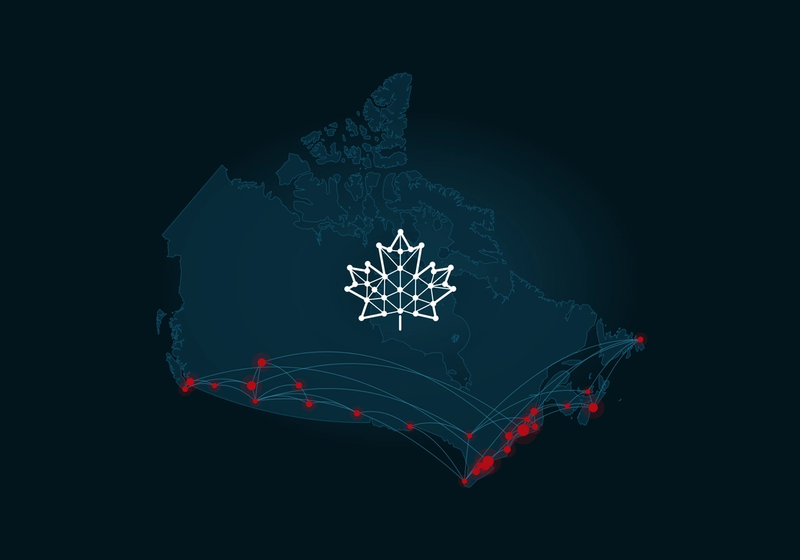
Pain Atlas
Self-managed researcher profiles and a searchable map of Canada's pain research community for the Chronic Pain Network at McMaster University, with a moderation console.
Read the case study
Pain Connect
A national research-study directory for the Chronic Pain Network, with an admin portal and email matching.
Read the case study
Help for Dementia
A rebrand for the Alzheimer Society of Alberta and NWT, with a learning platform and an AI resource assistant built to WCAG 2.2 AA.
Read the case study
Responding to your RFP
We respond to public RFPs and supplier qualifications. We're a qualified supplier under the University of Victoria's RFSQ 301, we bid on BC Bid, and we won the University of Calgary's Health Equity Hub through an open RFP.
Send us the RFP and its closing date. If we're not a fit, we'll say so before you spend time evaluating us.
Privacy and hosting: we can host in Canada when your privacy rules (FOIP in Alberta, FIPPA in BC) or your RFP require it. You own the code, the content and the hosting account.
What a public-sector website costs
Most public-sector websites we build cost between $25,000 and $125,000. A faculty, research or program site starts at $25,000; an organization-wide site usually runs $40,000 to $125,000.
Templates and content types
How many page types, directories and listings the site needs.
Integrations
Single sign-on, research databases, forms and payment.
Accessibility testing
Screen-reader testing and audit reporting, when the RFP asks for them.
Content and departments
How much content moves over, and how many departments sign off.
Hosting and the support Plan are priced separately. Fixed price per phase, invoiced at milestones.
Questions public-sector teams ask
Does our website need to meet AODA or the Accessible Canada Act?
If you're an Ontario public-sector organization, the AODA applies and requires WCAG 2.0 AA. If you're a federal department, a Crown corporation or federally regulated, the Accessible Canada Act applies. Elsewhere, provincial rules differ and most RFPs name WCAG 2.1 or 2.2 AA anyway. We build to WCAG 2.2 AA, which meets all of these.
What WCAG level do you build to, and how do you test it?
WCAG 2.2 AA. We check designs before development, then test the build with automated tools and by keyboard. Screen-reader testing and a written audit report are added when your project calls for them.
Do you use accessibility overlays or widgets?
No. An overlay doesn't change the code underneath, so the barriers stay, and it can interfere with the assistive technology people already use. We fix accessibility in the build.
Can you respond to our RFP or work through a supplier list?
Yes. We bid on public RFPs, including BC Bid, and we're a qualified supplier under the University of Victoria's RFSQ 301. We won the University of Calgary's Health Equity Hub through an RFP. Send us the document and its closing date.
Should a government or university site use Drupal, WordPress or something else?
It depends on how many editors and departments you have, and what your IT team already supports. Both can meet WCAG 2.2 AA. Our Drupal vs WordPress comparison covers the trade-offs, including Drupal 10's end of life in December 2026.
How much does a university or government website cost?
A faculty, research or program site starts at $25,000. Organization-wide sites usually run $40,000 to $125,000. See our pricing for every service.
Where is the site hosted, and who owns it?
You own the code, the content and the hosting account. We can host in Canada when your privacy rules or your RFP require it.
Do you work outside Alberta?
Yes. We're based in Calgary, we've worked with McMaster University and Western University in Ontario, and we're a qualified supplier to the University of Victoria in British Columbia.
Have an RFP open, or one coming up?
Tell us what you're replacing and when proposals are due. We'll tell you whether we're a fit.
Book a call